
Assistive Technology by Disability & Need Area
A parent-friendly directory of AT tools organized by disability category — from low-tech supports to high-tech devices. Use the jump links below to navigate directly to your child's area of need.
Dyslexia & Reading Disabilities

Dyslexia Pen (Under $50)
Scans and reads printed text aloud instantly — no phone or Wi-Fi needed, ideal for tests and worksheets. Can connect to earphones for discrete reading, has photo translation option.

Scanmarker Max
Scans and reads printed text aloud instantly — no phone or Wi-Fi needed, ideal for tests and worksheets. Can connect to earphones for discrete reading, has lock functionality for educators.

Scanmarker Pal
Scans and reads printed text aloud instantly — no phone or Wi-Fi needed, ideal for tests and worksheets. Can connect to earphones for discrete reading, has lock functionality for educators.

Scanmarker Air
Scans and reads printed text aloud instantly — no phone or Wi-Fi needed, ideal for tests and worksheets. Lighter version and portable.

Colored Reading Overlays
Tinted transparent sheets placed over text to reduce visual stress and improve tracking for readers with dyslexia.

Reading Rulers / Highlight Strips
Isolates one line of text at a time to reduce visual crowding and help readers track their place on the page.

Livescribe Smartpen
Records audio while taking notes, then syncs them so students can replay teacher audio by tapping their written notes. Digital copy of written notes. Supports multisensory notetaking.

Helperbird / OpenDyslexic Font
Browser extension that applies dyslexia-friendly fonts and spacing across all websites to improve readability.

Read&Write Software
Reads web pages, PDFs, and Google Docs aloud while highlighting words — supports independent reading access.

Natural Reader (Speechify)
Text-to-speech app that converts any digital text into natural-sounding audio for easier reading comprehension.

Kurzweil 3000
Professional-grade literacy software combining text-to-speech, study tools, and test-taking supports for students with reading disabilities.

Learning Ally
Audiobook library of human-narrated textbooks and literature specifically designed for students with print disabilities.

Dragon NaturallySpeaking
Dictation software that lets students write by speaking, bypassing the decoding barrier to demonstrate knowledge.
ADHD & Attention / Executive Function Deficits

Tangle Jr. Fidget
Silent, bendable fidget toy that keeps hands busy without disturbing classmates, supporting sustained attention.

Therapy Putty
Provides proprioceptive hand input that helps regulate arousal levels and improve focus during seated tasks.

Silent Fidget Cube
Six-sided cube with quiet tactile features (buttons, dials, switches) for discreet fidgeting during class.

Chair / Foot Fidget Band
Stretchy band on chair legs lets students bounce and kick feet quietly, releasing energy to improve seated focus.

Loop Earplugs
Stylish noise-reducing earplugs that lower classroom volume without blocking it completely, reducing sensory overload.

Time Timer Clock
Visual timer shows the passage of time as a disappearing red disk, making abstract time concrete and manageable.

White Noise Machine
Masks distracting background noise to create a more consistent auditory environment for focus and concentration.

Wiggle Seat Cushion
Inflatable textured disc that allows micro-movement while seated, improving body awareness and attention regulation.

Balance Ball Chair
Flexible seating option that engages core muscles and allows natural movement, supporting sustained attention in students who need to move.

Smart Watch with Vibrating Alarm
Discreet wrist vibration alerts help students stay on schedule and transition between tasks without teacher reminders.

Noise-Canceling Headphones
Blocks out classroom background noise to help students with ADHD or sensory sensitivities focus on independent work.

Sand Hourglass Timer
Visual, analog timer that shows passing time without digital screens — helps students with ADHD manage work intervals.
Dysgraphia & Written Expression Disabilities

CLAW Pencil Grip
Ergonomic grip that promotes correct finger placement, reducing fatigue and improving legibility for students with dysgraphia.

Foam Pencil Grips (Set)
Soft foam padding that widens the pencil barrel, reducing the grip force needed for students with weak hand muscles.

Weighted Pen / Pencil
Added weight provides proprioceptive feedback that helps students with motor control write more steadily and with less effort.

Large-Key Keyboard
Oversized keys with high-contrast labels make typing more accessible for students with motor or visual challenges.


Slant Board
Angled writing surface improves wrist position and visual access to writing, reducing fatigue and improving letter formation.
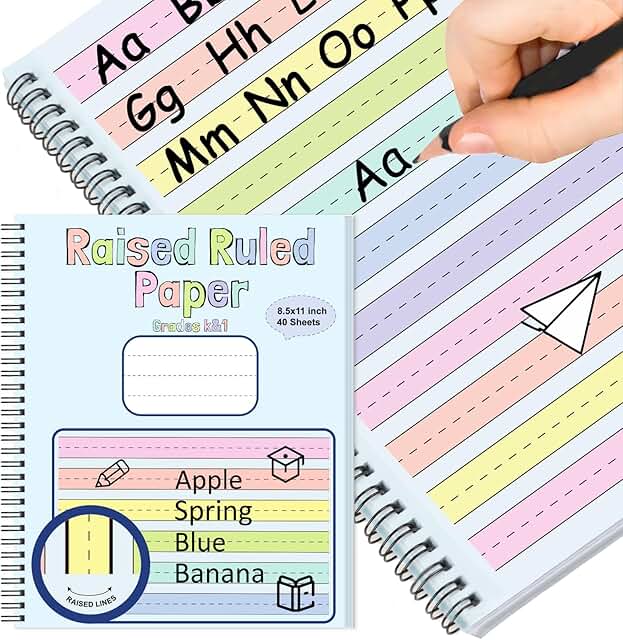
Raised-Line Paper
Tactile ridges on writing lines provide physical feedback to help students feel and stay within lines as they write.

Livescribe Echo Smartpen
Records audio synchronized with handwritten notes — students can replay what was said at the exact moment they wrote it.

Tracing Guides
These reusable tracing grooved templates make it easier for students to practice penmanship and legibility.


Inspiration Maps App
Digital graphic organizer app that lets students map and plan ideas visually before converting to written outline format.

Co:Writer Word Prediction
Predicts words as students type, reducing keystrokes and cognitive load while supporting spelling and sentence construction.
Fine Motor Deficits

Adaptive Loop Scissors
Spring-loaded or loop-handled scissors open automatically after cutting, requiring less hand strength and coordination.
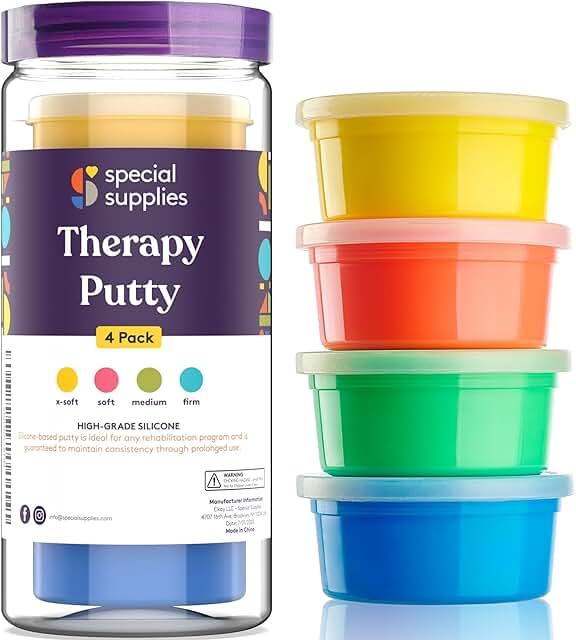
Therapy Putty Set
Graded resistance putty strengthens hand and finger muscles over time as part of an OT fine motor program.

Built-Up Handle Utensils
Widened grips on pencils, spoons, and forks reduce pinch requirements for students with limited hand strength.

Keyguard for Keyboard or Tablet
Plastic overlay with holes over each key that prevents accidental presses, helping students with limited motor control type accurately.

Posture Wedge Cushion
Angled seat insert tilts the pelvis forward, improving core engagement and hand function at the desk.

Adjustable Footrest
Supports proper hip and knee alignment at desks not sized for children, improving overall posture and hand stability.

Touchscreen Stylus
Wide-grip stylus provides better control for students who struggle with precise touch on tablets or interactive whiteboards.

Wrist Weight
Light wrist weight adds proprioceptive feedback to improve hand steadiness and control during writing tasks.
Autism Spectrum Disorder (ASD)

Proloquo2Go (AAC App)
Symbol-based AAC app that gives nonverbal and minimally-verbal students a voice through picture-to-speech communication.

TouchChat AAC
Flexible AAC app with multiple vocabulary sets that grows with the student, supporting communication across settings.

Compression Vest
Provides deep pressure proprioceptive input that calms the nervous system and improves body awareness for students with sensory processing differences.

Weighted Lap Pad
Portable weight placed across the lap during seated tasks to reduce anxiety, improve focus, and provide calming deep pressure.

Chewelry (Chewable Jewelry)
Food-grade silicone necklace or bracelet that provides safe oral sensory input for students who chew on clothing or objects.

Indoor Sensory Swing
Vestibular input from swinging regulates the sensory system, reducing anxiety and improving readiness to learn.

Visual Schedule Board
Picture-based daily schedule that reduces anxiety around transitions by making the predictable sequence of events visible.

First / Then Board
Two-step visual prompt that shows the required task first and the preferred activity after, supporting task completion through structured motivation.

Calm Strips
Textured adhesive strips for desks or devices that provide discreet tactile stimulation to reduce anxiety and improve focus.

Zones of Regulation
Color-coded framework (book + visual tools) that helps students identify their emotional state and choose self-regulation strategies.

Social Story Creator App
Builds personalized picture-based social stories to pre-teach expectations for new situations, routines, or social scenarios.

Noise-Canceling Headphones (Sensory)
Reduces auditory overload in loud environments like cafeterias, gymnasiums, or assemblies for students with sensory sensitivities.
Speech & Language Impairment

Tobii Dynavox AAC Device
Dedicated speech-generating device for students with complex communication needs — robust, school-appropriate, and IEP-fundable.

PECS Communication Board
Picture Exchange Communication System cards teach students to initiate communication by handing a picture to request needs or wants.

GoTalk NOW App
Customizable low-cost AAC app that allows families and therapists to build personalized communication boards with real photos.

WordQ Word Prediction
Predicts whole words and reads them aloud as students type, supporting both language formulation and spelling simultaneously.

Otter.ai Live Transcription
Transcribes spoken classroom instruction in real time, giving students a readable record of verbal directions and lessons.

Pictello App
Creates personalized talking photo books and social stories with the student's own photos, supporting language modeling and comprehension.

Language Builder Picture Cards
Structured picture card sets used in speech therapy to target vocabulary, sentence structure, and descriptive language skills.

Articulation Station App
SLP-designed app for practicing speech sounds with structured activities that can be used at home between therapy sessions.
Visual Impairment / Blindness

JAWS Screen Reader
Industry-standard screen reader that vocalizes all on-screen content and allows keyboard navigation for blind and low-vision users.

CCTV Desktop Magnifier
Camera-based magnifier that displays enlarged text and images on a screen, enabling low-vision students to read printed materials.

Refreshable Braille Display
Connects to computers or tablets and converts digital text to braille in real time, supporting literacy access for blind students.

Large-Print / High-Contrast Keyboard
Keys with extra-large, high-contrast labels make typing independently accessible for students with low vision.

OrCam MyEye 2
Wearable camera that clips to glasses and reads aloud text, faces, and products instantly — enabling greater independence for students with vision loss.

ZoomText Magnifier
Screen magnification software that enlarges and enhances on-screen content up to 60x for students with low vision.

Bookshare Accessible Library
Free for qualified students with disabilities — provides over 1 million accessible ebooks in audio, braille, and large print formats.

Handheld Pocket Magnifier
Portable optical magnifier for reading worksheets, labels, and small print in any environment without a power source.
Hearing Impairment / Deafness

Roger Pen FM System
Teacher wears this wireless microphone that streams speech directly to the student's hearing aids, cutting through classroom noise.

Classroom Soundfield System
Speaker system that evenly amplifies the teacher's voice throughout the classroom, benefiting hearing-impaired students and all learners.
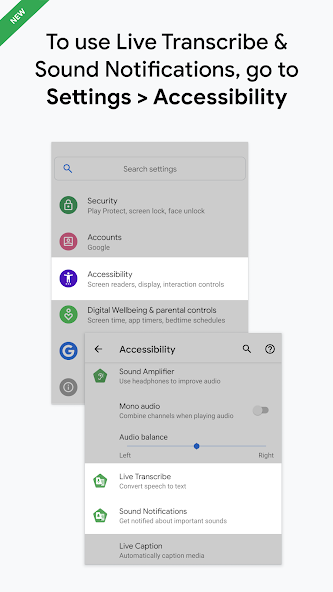
Google Live Transcribe
Real-time speech-to-text apps that display what is being said on a phone screen, giving deaf or hard-of-hearing students access to spoken instruction.

Visual Alert System
Flashing light or vibration alerts for doorbells, alarms, and timers allow deaf students to receive environmental cues visually.

Vibrating Alarm Clock
Clock with a vibrating pad placed under the pillow wakes deaf and hard-of-hearing students independently, supporting daily routine.

ASL Communication App (Handspeak)
Video-based ASL dictionary app that supports learning and using American Sign Language for communication and vocabulary building.

Captioning Software / CART
Communication Access Real-Time Translation (CART) provides word-for-word captions of classroom speech displayed on a screen or device.

Personal Amplification Device
Portable personal amplifier the student wears to amplify nearby speech — a lower-cost FM system alternative for mild-moderate hearing loss.
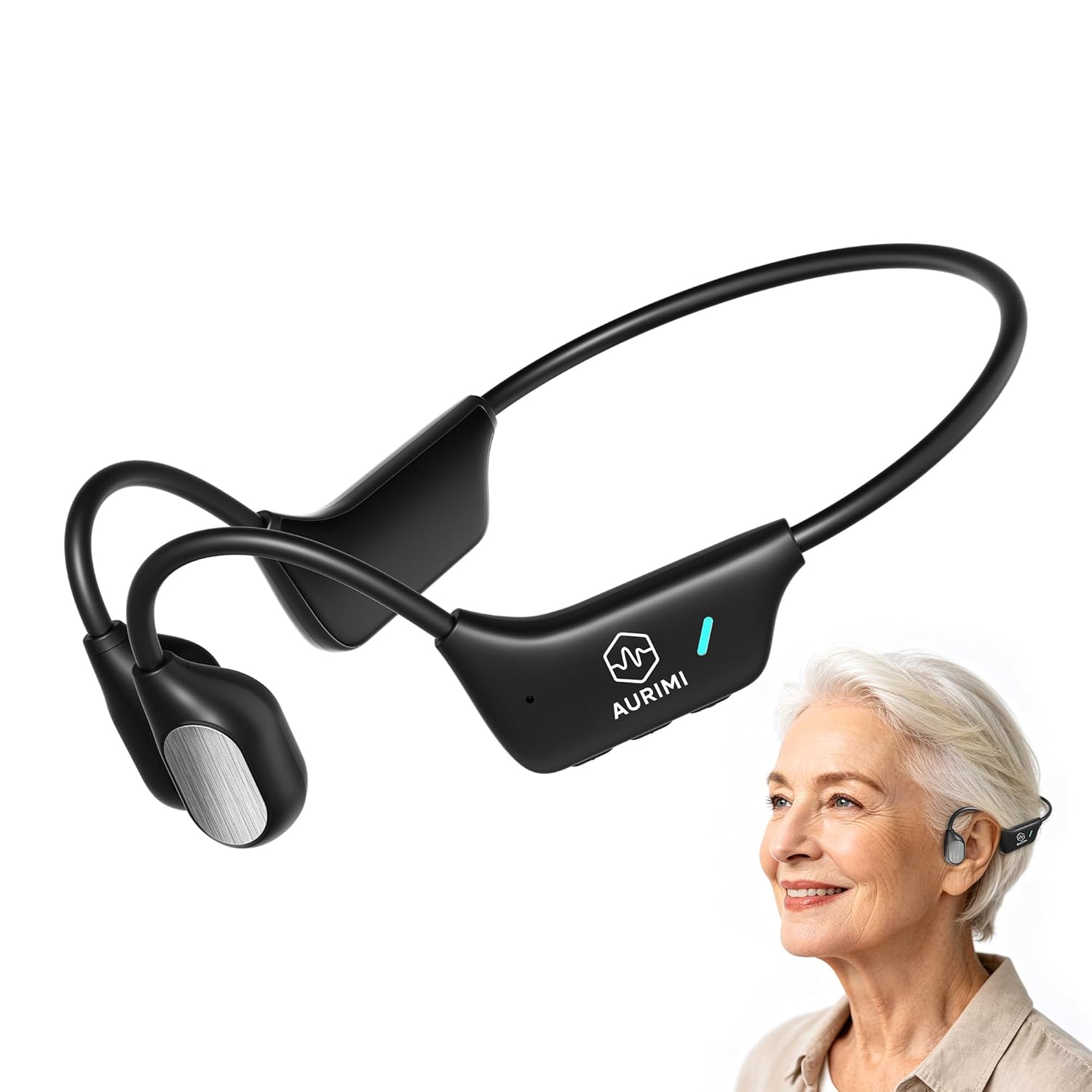
Bone Conduction Headphones
Portable personal amplifier the student wears to amplify nearby speech — a lower-cost FM system alternative for mild-moderate hearing loss.
Intellectual Disability / Cognitive Delays

Visual Schedule Builder App
Picture-based digital daily schedule that reduces reliance on verbal directions and supports predictable routines for students with cognitive delays.

BIGmack Switch Communicator
Large single-button device that plays a recorded message when pressed — introduces cause-and-effect communication for students with severe cognitive disabilities.

Picture Recipe Cards
Step-by-step visual cooking instructions that build independent life skills without requiring reading ability.

Automated Medication Reminder
Timed dispenser or alarm that prompts students to take medication independently, supporting daily living skills and self-management.

Hygiene Visual Timer
Visual or musical timer for tooth brushing and handwashing that makes abstract time requirements concrete and routine-based.

Step-by-Step Communicator
Records sequential messages that play one at a time when pressed, supporting students through multi-step tasks or conversations.

Choiceworks App
Combines visual schedules, wait boards, and feelings tools in one app specifically designed for children with developmental differences.
Anxiety & Emotional / Behavioral Disabilities

Weighted Blanket (Kids)
Deep pressure stimulation from a weighted blanket activates the parasympathetic nervous system, reducing anxiety and improving calm.

Weighted Lap Pad (School Use)
Portable classroom version of a weighted blanket — used discreetly on the lap during class to reduce anxiety and improve seat regulation.

Calm App
Guided meditations, breathing exercises, and sleep stories that help students with anxiety develop self-regulation skills at school or home.

Headspace
Mindfulness app with kid-friendly guided meditations and breathing tools to reduce test anxiety and school-related stress.

Breathing Exercise Cards
Visual cards that guide students through calming breath techniques (e.g., box breathing, belly breathing) as a portable de-escalation tool.

Moodfit / Mood Tracking App
Helps older students log and identify emotional patterns, building self-awareness and communication with support staff about triggers.
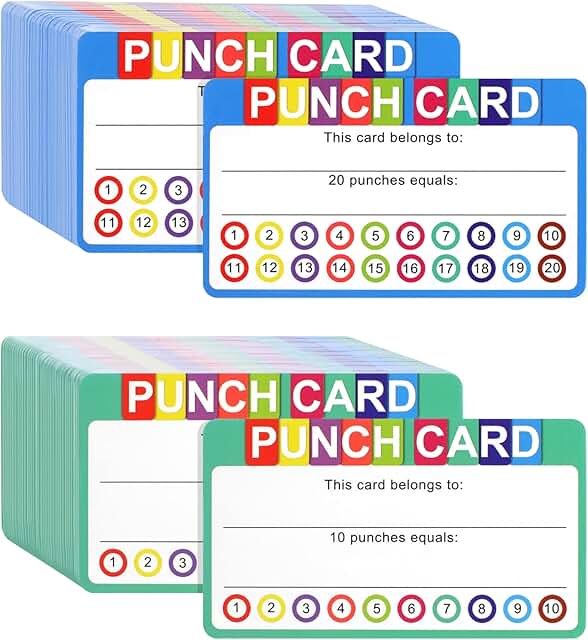
Break Cards
Visual cards students can hand to a teacher to request a sensory break — reduces behavioral escalation by giving students a proactive coping tool.

Calm-Down Kit / Sensory Box
Portable box with fidgets, breathing cards, and sensory tools that gives students a structured toolkit for self-regulation during distress.
Physical / Orthopedic Impairment
Tobii Dynavox Eye Gaze System
Controls a computer or AAC device using only eye movement — enables students with severe physical disabilities to communicate and access curriculum independently.

Adaptive Trackball Mouse
Large stationary ball mouse that requires only finger or palm rolling — eliminates the need to move an entire mouse for students with limited arm mobility.

Sip-and-Puff Switch
Allows students with no hand function to control computers or power wheelchairs using breath pressure — sipping or puffing through a straw-like device.
Dragon NaturallySpeaking
Dictation software that lets students write by speaking, bypassing the decoding barrier to demonstrate knowledge.

Amazon Echo / Smart Speaker
Hands-free voice assistant that can set timers, read information, control smart devices, and answer questions — supporting independence for students with motor impairments.

Adjustable Height Desk
Height-adjustable desk accommodates wheelchairs and adaptive positioning equipment, allowing students to access work surfaces comfortably.

Universal Cuff Grip
Wrist strap with a pocket that holds pencils, utensils, or other tools for students who cannot grip independently due to paralysis or weakness.

Switch-Adapted Toys
Battery-operated toys modified to work with a single adaptive switch, teaching cause-and-effect and providing play access for students with severe physical disabilities.
Dyscalculia & Math Disabilities

Talking Calculator
Speaks numbers and operations aloud as entered, helping students with dyscalculia verify inputs and catch transposition errors.

Base Ten Blocks
Physical manipulatives representing ones, tens, hundreds — make place value and regrouping concrete and visually clear for struggling math learners.

Fraction Tiles / Circles
Color-coded fraction pieces make abstract fractional concepts tangible, supporting visual-spatial learners and students with math processing difficulties.

Desk Number Line
Adhesive or laminated number line for the student's desk provides a visual anchor for counting, addition, subtraction, and number sense tasks.

ModMath App
Digital graph paper app that helps students line up numbers in columns properly, reducing alignment errors in multi-digit arithmetic problems.

Laminated Multiplication Chart
Reference chart students can use during math tasks to reduce the cognitive load of fact retrieval and focus on mathematical reasoning.

Cuisenaire Rods
Color-coded rods of proportional lengths used to explore number relationships, fractions, and operations through hands-on discovery.

MathTalk / Math Voice Input
Speech-to-math software that converts spoken math problems into equations on screen, bypassing the handwriting barrier for math work.
Memory & Processing Speed Deficits
Livescribe Smartpen
Records audio while taking notes, then syncs them so students can replay teacher audio by tapping their written notes. Digital copy of written notes. Supports multisensory notetaking.

Digital Voice Recorder
Records classroom lectures and directions for replay later — gives students with slow processing speed time to review information at their own pace.
Guided / Skeleton Notes
Pre-filled teacher notes with blanks reduce the cognitive burden of simultaneous listening and writing for students with processing and memory differences.
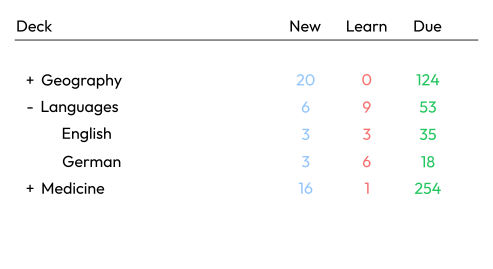
Anki Flashcard App
Spaced repetition flashcard app that shows information at scientifically optimal intervals to move content into long-term memory more efficiently.

Microsoft OneNote
Digital notebook that organizes notes, images, and audio recordings in one searchable place — helps students with memory deficits retrieve information quickly.

Notion (Digital Planner)
Flexible digital workspace for organizing assignments, due dates, and notes — reduces reliance on memory by externalizing all academic information.

Focus@Will / Background Study Music
Neuroscience-based background music app that optimizes auditory environment to support sustained attention and cognitive processing during study tasks.

Notability App
iPad note-taking app that records audio while you write — tapping any note plays back what was said at that moment, supporting processing and recall.
Multiple Disabilities & Cross-Category Supports

iPad + Guided Access
Apple's built-in Guided Access feature locks the iPad to one app, prevents distraction, and can disable touch areas — a universal AT platform for dozens of needs.

Chromebook Accessibility Suite
Built-in Chrome OS tools including Select-to-Speak, screen magnifier, dictation, and high contrast mode — free AT available to every student with a Chromebook.

Noise-Canceling Headphones
Reduces auditory distractions and sensory overload — valuable for students with ADHD, ASD, anxiety, hearing sensitivities, and many other disability categories.

Time Timer (Any Format)
Visual timer tools (watch, clock, or app) support time management for ADHD, ASD, anxiety, intellectual disabilities, and many other needs.

Flexible Seating Pack
Variety of seating options (wobble chairs, floor cushions, bean bags) benefits students with ADHD, sensory needs, anxiety, and physical differences.
Natural Reader (Speechify)
Text-to-speech app that converts any digital text into natural-sounding audio for easier reading comprehension.
Google Docs Voice Typing
Free built-in dictation in Google Docs requires only a microphone — zero cost AT that supports students with dysgraphia, physical disabilities, and language processing needs.
Notability App
iPad note-taking app that records audio while you write — tapping any note plays back what was said at that moment, supporting processing and recall.
District Accessibility Specialty Website Suppliers Supports


📋 How to Request Assistive Technology Through Your Child's IEP
Under IDEA, parents may request an Assistive Technology Assessment in writing at any time. This assessment should determine what AT tools, if any, the student needs to access curriculum, communicate, or participate in their educational program. If the IEP team agrees AT is needed, the district is generally required to provide it at no cost to the family. Parents may wish to:
- Request an AT evaluation in writing, sent via certified mail or email with read receipt
- Ask the IEP team to document what AT was considered at each meeting
- Bring a list of AT tools they believe may be appropriate for their child
- Request data on current AT trials (what was tried, for how long, with what results)
- Consult a qualified educational advocate or special education attorney if AT requests are denied